
Introduction
When people search for a business, they often want practical information quickly: where the business is located, when it is open, how to contact it, what services it offers, and what other customers say about it. For eligible local businesses, a Google Business Profile can provide an important presence on Google Search and Google Maps.
Creating a profile is only the beginning. Businesses also need to provide accurate information, complete the verification process, add useful photos, manage reviews, and keep the profile updated. This guide explains how to create and optimise a Google Business Profile and how it can support a broader digital marketing strategy.
What Is a Google Business Profile?
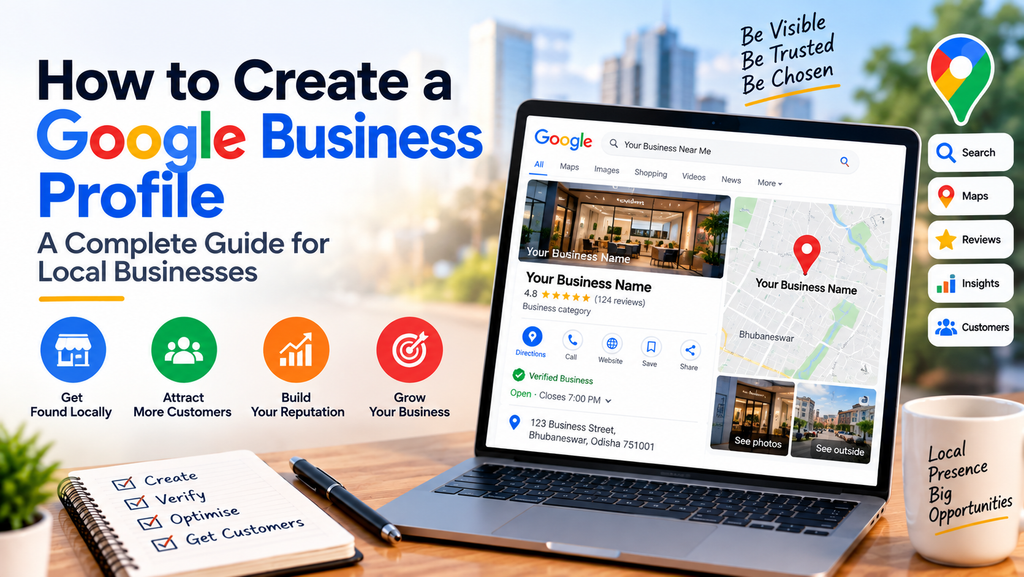
A Google Business Profile is a business listing that can appear on Google Search and Google Maps. It can show information such as the business name, location, contact information, website, hours, photos, and customer reviews.
For a local business, the profile can act like a digital storefront on Google. It helps potential customers discover the business and decide what to do next, such as visiting the location, calling the business, opening the website, requesting directions, or contacting the business.
Why Your Business Should Have a Google Business Profile
A complete and verified Business Profile can help customers discover and learn about your business when they search on Google. Google also provides performance information for verified profiles, including views, searches, calls, website clicks, directions, messages, and bookings where applicable.
-
- Help customers find your business on Google Search and Google Maps.
-
- Provide important business information in one place.
-
- Give customers a direct way to call, visit your website, request directions, or take another available action.
-
- Show photos and other information that help potential customers understand the business.
-
- Collect and respond to genuine customer reviews.
-
- Measure how customers discover and interact with your profile.
Who Can Create a Google Business Profile?
Google Business Profiles are intended for eligible businesses that make in-person contact with customers, such as businesses with a physical location customers can visit or businesses that serve customers within a local service area. Eligibility and representation guidelines apply, so a business should check Google’s current eligibility requirements before creating a profile. For more guidance, read Google’s official guide to improving your local ranking on Google.
What You Need Before Creating Your Profile
Preparing your information before starting can make the setup process easier. Have the following ready:
-
- Business name
-
- Primary business category
-
- Business address or service area, where applicable
-
- Business phone number
-
- Business website
-
- Business hours
-
- Business description and key services
-
- Business logo
-
- High-quality business photos
-
- A Google Account that will be used to manage the profile
How to Create a Google Business Profile
Step 1: Sign in to Google
Sign in to the Google Account you want to use to manage the business profile. You can use an existing Google Account or create one for the business.
Step 2: Check Whether Your Business Already Has a Profile
Before creating a new profile, search for your business name and location on Google Search or Google Maps. An existing profile may already appear. If it does, check whether it is already verified and whether you have access to manage it.
Step 3: Add or Claim Your Business
If no profile exists, add the business through Google’s Business Profile process. If an unverified profile already exists, you can claim it. If another person already owns the verified profile, Google provides an ownership request process for authorised business representatives.
Step 4: Enter Your Business Name
Use the real-world business name that customers recognise. Keep the business name consistent with your website, signage, and other important business listings.
Step 5: Select the Right Business Category
Choose the category that most accurately describes the main business activity. The category helps Google understand what the business is and which searches may be relevant.
Step 6: Add Your Business Location or Service Area
Provide the correct location information if customers visit your premises. If the business serves customers in a local area without receiving customers at its address, use the appropriate service-area setup where available.
Step 7: Add Contact Information and Website
Add an accurate phone number and website address so customers can contact the business or learn more about its products and services.
Step 8: Add Business Hours
Enter accurate opening or service hours and keep them updated when the business schedule changes. Special or holiday hours should also be reviewed when applicable.
Step 9: Complete the Verification Process
Google requires eligible businesses to verify their Business Profile before they can fully manage the profile and its information. The verification method offered can vary by business, so follow the verification instructions shown in your account.
Step 10: Complete and Review Your Profile
After verification, review all information carefully. Add relevant business details, photos, services, and other available information, and make sure everything accurately represents the business.
How to Optimise Your Google Business Profile
A Business Profile should be treated as an ongoing part of your digital presence rather than a one-time setup. Google recommends keeping business information complete and accurate. This can help customers understand your business and can support visibility in local search.
-
- Keep your business name, address, phone number, website, and hours accurate.
-
- Choose the most relevant primary category and add appropriate additional information where available.
-
- Use clear, high-quality photos that represent the real business.
-
- Keep service and product information up to date where applicable.
-
- Monitor and respond appropriately to customer reviews.
-
- Review profile performance regularly to understand how customers find and interact with your business.
-
- Make sure information on your website and other important online profiles is consistent.
Add High-Quality Photos
Photos can help potential customers understand the business before they decide to visit or contact it. Depending on the type of business, useful images can include the exterior, interior, products, services, team, facilities, or other genuine aspects of the customer experience.
Use authentic, current images rather than misleading or heavily edited visuals. Keep the images consistent with the actual business.
Manage Customer Reviews
Reviews are an important part of many customers’ decision-making process. Encourage genuine customers to leave honest feedback and respond professionally to reviews.
Do not offer incentives in exchange for reviews or ask customers to change or remove negative reviews. Google states that offering incentives for reviews or changes to reviews is prohibited.
Responding to reviews also gives a business an opportunity to show that customer feedback is taken seriously.
How Google Business Profile Can Help Generate Leads
A Business Profile can support customer actions that are valuable to a business. Depending on the profile and available features, customers may call the business, visit the website, request directions, send messages, or make bookings.
This makes the profile particularly useful when it is connected to a strong website and a clear lead-generation process. For example, a customer may discover a business on Google, visit its website, learn about its services, and then submit an enquiry.
Understanding Your Business Profile Performance
Verified Business Profiles can provide performance information showing how customers discover and interact with the profile. Google lists metrics such as searches, views, calls, website clicks, directions, messages, and bookings where applicable.
Reviewing this information can help a business understand which actions customers are taking and where improvements may be useful.
Common Google Business Profile Mistakes to Avoid
-
- Creating duplicate profiles instead of claiming an existing profile.
-
- Using inaccurate or outdated business information.
-
- Choosing an unrelated business category.
-
- Leaving important profile information incomplete.
-
- Using low-quality or misleading photos.
-
- Ignoring genuine customer reviews.
-
- Offering incentives in exchange for reviews.
-
- Treating the profile as a one-time task instead of keeping it updated.
-
- Expecting a profile alone to replace a website or broader marketing strategy.
How Scalex Can Help
Scalex helps businesses strengthen their digital presence through Digital Marketing, Website Development, AI Business Automation, and AI Consulting & Training.
For businesses that want to improve their local digital presence, Scalex can help with areas such as:
-
- Google Business Profile setup and optimisation
-
- Local SEO strategy
-
- Website and landing-page improvements
-
- Search-focused content planning
-
- Digital marketing strategy
-
- Lead-generation optimisation
-
- Connecting website enquiries with practical automation
-
- Ongoing digital growth support
The goal is not simply to create a Google Business Profile. The larger objective is to connect local search visibility with a professional website, useful content, customer communication, and lead-generation activities.
Google Business Profile + Website + Social Media: A Complete Digital Presence
A Google Business Profile is most effective when it works together with the rest of a business’s online presence. Google can help customers discover the business, social media can build awareness and engagement, and the website can provide detailed information and convert interested visitors into enquiries.
For example, a potential customer may discover a business through Google Search or Maps, visit its website to understand the services, check social media for recent activity, and then contact the business. Connecting these channels creates a more consistent customer journey.
Conclusion
A Google Business Profile is an important digital asset for eligible local businesses. It can help customers discover a business on Google Search and Google Maps, understand what the business offers, and take actions such as calling, visiting the website, requesting directions, or contacting the business.
The best results come from treating the profile as part of a wider digital strategy. Keep the information accurate, complete the verification process, add useful photos, manage reviews professionally, monitor performance, and connect the profile with a strong website and marketing strategy.
Frequently Asked Questions
Is Google Business Profile free?
Google states that businesses can add or claim an eligible Business Profile at no charge. Businesses may separately choose to invest in Google Ads or other marketing activities.
Do I need a Google Account to create a Business Profile?
Yes. You need a Google Account to sign up for and manage a Business Profile.
Can a service-area business have a Google Business Profile?
Eligible businesses that serve customers in a local area may be able to use a service-area setup. The business must meet Google’s eligibility and representation guidelines.
What if my business already appears on Google Maps?
Do not automatically create another profile. Search for the existing listing and use Google’s claim or ownership process if you are authorised to manage the business.
How long does Google Business Profile verification take?
The verification method and timing can vary by business. Follow the verification method offered by Google for your profile.
Can a Google Business Profile help with local SEO?
Yes. Google says complete and accurate Business Profile information can help businesses appear in local search results. Local ranking is influenced by factors including relevance, distance, and prominence, and there is no way to pay Google for a better local ranking.
Can a Google Business Profile generate leads?
It can support customer actions such as calls, website visits, directions, messages, and bookings where those features are available. Results depend on the business, market, profile quality, offer, and wider marketing strategy.