
Introduction
For many businesses, having a presence on social media is an important part of building visibility, communicating with customers, and supporting digital marketing. A Facebook business page gives your company a dedicated presence on Facebook to share information, publish content, communicate with customers, and support marketing activities.
Creating a Facebook Page is only the first step. A professional Page should clearly explain what the business does, make it easy for people to contact the business, and provide useful and relevant content. This guide explains how to create a Facebook Page and the key steps to set it up properly.
What Is a Facebook Business Page?
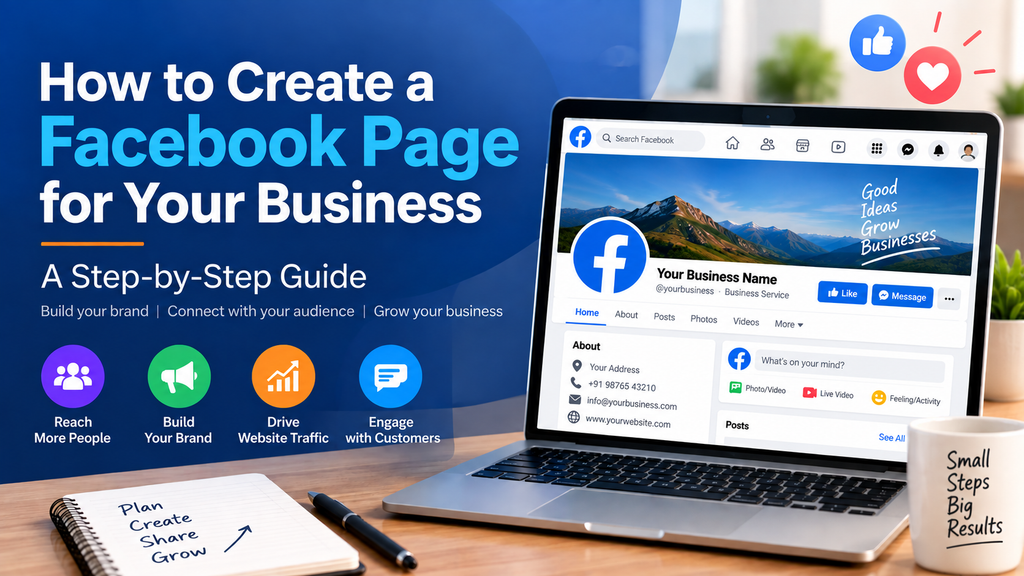
A Facebook Page is a public presence that a business, organisation, brand, creator, or other entity can use to connect with people on Facebook. Unlike a personal profile, a business Page is designed around the organisation or business and can be used as part of a broader digital marketing strategy.
For a business, the Page can act as one of several online touchpoints alongside its website, Google Business Profile, Instagram, advertising channels, and other digital platforms.
What You Need Before Creating Your Facebook Page
Before starting, prepare the basic information and visual assets that customers are likely to look for:
-
- Business name and preferred Page name
-
- A suitable business category
-
- Short business description
-
- Business logo or profile image
-
- Professional cover image
-
- Website address
-
- Business phone number and email address, where appropriate
-
- Business location or service area, if relevant
-
- A clear description of the products or services you offer
How to Create a Facebook Page
Step 1: Log in to Facebook
Log in to Facebook using your personal Facebook account. You need a personal Facebook account to create and manage a Facebook Page for your business. Your personal profile and the business Page are separate, so your personal profile does not become the business Page. Facebook’s interface may change over time, so the exact location of the Page creation option may vary.
Step 2: Start Creating a Page
Look for the option to create a Page from Facebook’s Page creation or Pages area. Select the option for creating a new Page. For additional guidance, visit Meta’s official guide to creating and managing Facebook Pages.
Step 3: Enter Your Business Name
Enter the name customers will recognise. In most cases, the Page name should match the business or brand name used on your website and other important online profiles.
Step 4: Choose the Right Category
Select the category or categories that best describe the business. Choosing an accurate category helps communicate what the business does.
Step 5: Add Your Business Description
Write a short, clear description that explains what the business offers and who it serves. Focus on communicating the value of the business in language customers can understand.
Step 6: Add Your Profile and Cover Images
Use a professional logo or brand image for the profile image and a well-designed cover image that supports the business identity. Keep branding consistent with the company’s website and other social media channels.
Step 7: Add Contact and Business Information
Complete the available business information, such as website, phone number, email, address, hours, or service area where relevant. Accurate information makes it easier for customers to take the next step.
Step 8: Set a Recognisable Page Username
Where the option is available, choose a simple and recognisable username that closely matches the business name.
Step 9: Add an Appropriate Call-to-Action
Use the available action button to encourage the next step you want customers to take, such as contacting the business, visiting a website, or booking a service.
Step 10: Review and Publish Your Page
Before promoting the Page, review the name, category, description, images, contact details, website, and action button. Make sure the information is accurate and consistent.
How to Optimise Your Facebook Page
Creating the Page is only the beginning. A well-optimised Page should provide enough information for a new visitor to understand the business quickly.
-
- Complete all relevant business information.
-
- Use clear and professional brand images.
-
- Keep the business name, website, contact details, and descriptions consistent across platforms.
-
- Add a clear call-to-action that supports your business goal.
-
- Publish useful content regularly rather than posting only advertisements.
-
- Respond to relevant comments and customer messages.
-
- Review Page performance and audience engagement to understand what content works best.
What Should You Post on Your Facebook Page?
A business Facebook Page should provide useful reasons for people to follow and engage with the business. Content can include:
-
- Educational tips and how-to content
-
- Product or service information
-
- Customer stories and case studies
-
- Business updates and announcements
-
- Short videos and Reels
-
- Industry insights and useful statistics
-
- Offers or promotions when appropriate
-
- Answers to common customer questions
The best content mix depends on the business, audience, objectives, and available resources. The goal should be to build awareness and trust while also creating opportunities for meaningful customer action.
How a Facebook Page Can Help a Business
A Facebook Page can support several parts of a business’s digital presence. It can help a business build awareness, communicate with customers, share useful content, send visitors to its website, and support lead-generation activities.
However, a Facebook Page should not be treated as a replacement for a business website. It works best when connected to a broader digital strategy, with clear links between social media, the website, content, advertising, customer communication, and lead management.
Common Facebook Page Mistakes to Avoid
-
- Creating a Page and leaving the profile information incomplete
-
- Using poor-quality or inconsistent branding
-
- Posting only promotional messages
-
- Ignoring comments and customer enquiries
-
- Using unclear calls-to-action
-
- Posting without a consistent content strategy
-
- Expecting immediate results without building an audience and testing what works
How Scalex Can Help
Scalex can help businesses build a stronger digital presence by combining Digital Marketing, Website Development, AI Business Automation, and AI Consulting & Training.
For businesses that need support with Facebook and social media, Scalex can help with areas such as:
-
- Social media strategy and planning
-
- Business Page setup and optimisation
-
- Content planning and content creation
-
- Digital marketing campaigns
-
- Lead-generation strategies
-
- Website and landing-page support
-
- AI-powered marketing and automation opportunities
The objective is not simply to create a Facebook Page. The bigger goal is to connect social media activity with the business’s overall digital presence and growth objectives.
Facebook Page as Part of a Bigger Digital Strategy
A Facebook Page becomes more valuable when it works together with the rest of a business’s digital ecosystem. Social media can attract attention, useful content can build trust, a professional website can provide more information, and automation can help manage enquiries and repetitive tasks.
For many businesses, this connected approach is more effective than treating each digital channel as a separate activity.
Conclusion
Creating a Facebook Page is a relatively simple starting point for building a business presence on social media. The real value comes from setting the Page up professionally, keeping information accurate, publishing useful content, responding to customers, and connecting social media activity with wider business goals.
Whether you are starting a new business or improving an existing digital presence, a well-managed Facebook Page can become a useful part of your digital marketing strategy.
Frequently Asked Questions
Is a Facebook Page free?
Creating a Facebook Page is generally free. Businesses can also choose to invest in paid advertising and other marketing activities.
Do I need a personal Facebook account to manage a Page?
Yes. You need a personal Facebook account to create and manage a Facebook Page. Your personal profile and the business Page remain separate.
What should I post on my business Facebook Page?
Focus on useful, relevant content such as educational posts, service information, customer stories, videos, updates, and selected promotional content.
How can I get more people to follow my Page?
Publish useful content consistently, promote the Page through your existing channels, encourage genuine engagement, and use paid promotion when it fits your marketing objectives.
Can a Facebook Page generate leads?
Yes. A Page can support lead generation through calls to action, messages, website visits, forms, content, and advertising. Results depend on the offer, audience, content, and overall marketing strategy.